 CADian
Support
As evidenced by over 30 years of development history, trust-worthy Korean CAD, CADian!

|
Utility Archive
·
2026.02.12
[Lisp #16] HOM : Draw Shaft Keyseat
|
|---|
|
Hi, This is CADian. We have prepared 400+ Lisp programs to aid your CAD experience, free of charge! Full List of all CADian Lisps : [Full CADian Lisp List] How to Install : [CADian Lisps Download & Install Guide] ==================================================== 1/ Command :
2/ Description : This tool automatically cuts a Keyseat (Keyway groove) into a shaft cross-section (Circle).
3/ How to Use :
Note : For best results, ensure the circle is zoomed in sufficiently on the screen before running the command. If the view is too far out, the object selection might not register correctly. 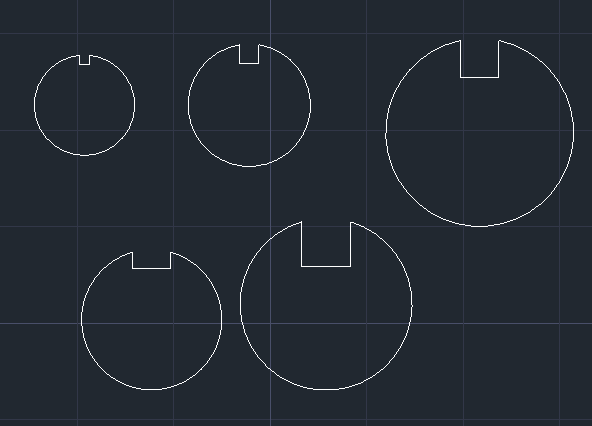 |



Address : 1009, 115, Gasan digital 2-ro, Geumcheon-gu, Seoul, Republic of Korea (08505)
CEO : Seung Hoon Park Business Registration Number : 105-81-74484
Sales : partner@cadian.com
Support : help@cadian.com
Tel : +82 2-323-0286
Fax : +82 2-2107-3286